Windows, with a little island that looks back.
SleekDock adds a magnifying dock, a menu bar with Control Center and an island for your music, messages and files.A magnifying dock, a menu bar and an island with eyes, for Windows 11.



- Free to download and use
- No account, no ads, no tracking
- 34 updates since 10 November
- Made by one developer in Pakistan
Everything in one app.
- Now playing
- Notifications
- Clipboard history
- File tray
- Focus timer
- Volume for each app
- Microphone mute
- Mute for an hour
- 10 eye styles
- 9 island looks
- Magnifying dock
- Minimise effect
- Clear Glass
- Control Center
- Wi-Fi QR sharing
- Hotspot
- Menu bar
- 20 menu bar widgets
- Search
- All apps grid
- Window snapping
- Hot corners
- Action ring
- Force quit
- Colour picker
- Text from pictures
- Quick translate
- Screenshots
- Quick Look
- File converter
- App installer
- Driver updates
- Video wallpapers
- Desktop widgets
- 41 extensions
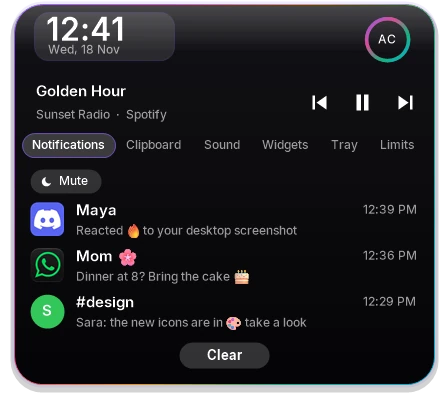
One island for everything on top.
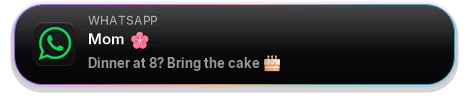
Hover to peek, click to open. Mute it for an hour when you need quiet.

Nine looks. Ten pairs of eyes.

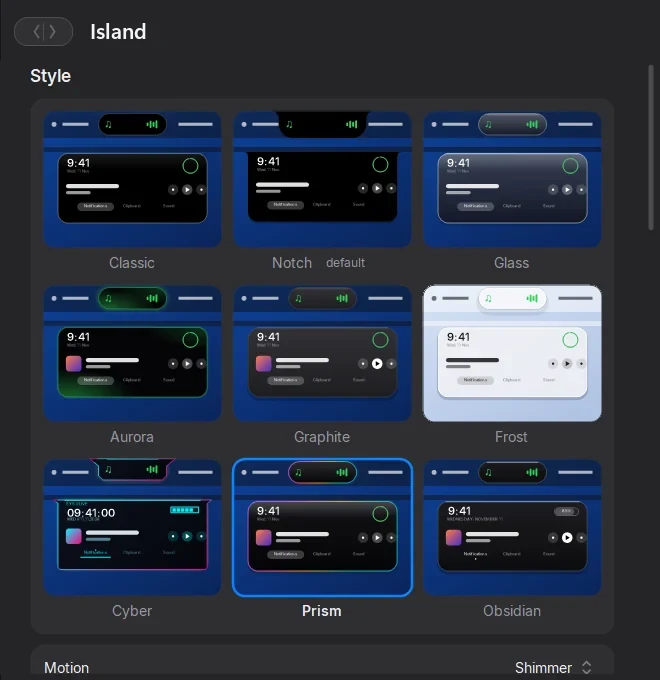
The eyes blink, glance around and fall asleep when you step away.
Move the mouse and they wake up.
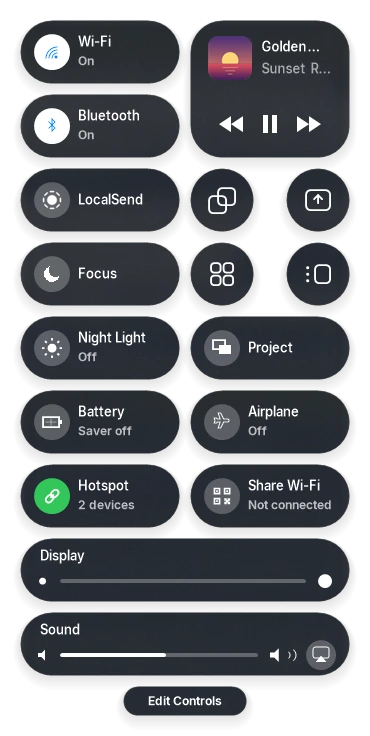
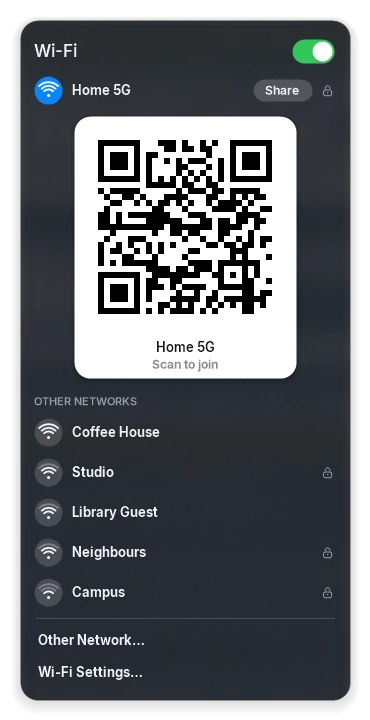
Control Center, with Wi-Fi you can share.
- Join a network and type its password right in the panel.
- Turn on your hotspot and let a phone scan its QR code.
- Focus mutes the island when you need quiet.
- Brightness, sound and what's playing, one click from the menu bar.

A dock that feels alive.



 WED18


- Magnifies under your pointer and springs back.
- Minimised windows fold into their icon and pour back out.
- Drop a file on an app to open it there.
- Clear Glass that bends the wallpaper behind it.
And a drawer full of small things.
Windows and keys
- Search apps, files and settingsWin Space
- Snap windows to halves and cornersWin Alt ←
- An action ring for quick actionsWin Alt Space
- Force quit a frozen appWin Alt Esc
- Every app in one big gridWin Shift A
Handy tools
- Copy text out of any pictureWin Alt O
- Translate the selected textWin Alt Y
- Pick a colour from the screenWin Alt P
- Convert images, video and documents
- Install popular apps from their makers
- Driver updates from official sources
Looks
- Video wallpapers that pause behind windows
- Clock, calendar, weather and notes on the desktop
- 20 widgets for the menu bar
- Light and dark, with your accent colour
- 41 extensions to switch on and off
Free to download. Pro if you want more.
Pay once. No subscription, no account.
Free
$0
Free forever
- The dock, the menu bar and Control Center
- The island with its eyes, music, messages and files
- 3 island looks and 3 eye styles
- 6 desktop widgets
Pro Launch price
$3.99 $4.99
Once, for 1 PC
- Everything in Free
- All 9 island looks and the rim motions
- All 10 eye styles
- 16 widgets: World Clocks, Photo Frame, Network, Headlines and more
- Wi‑Fi tools: join, Personal Hotspot, Share Wi‑Fi
- File Converter, Driver Updates, live wallpapers
Family
$9.99
Once, for up to 3 PCs
- Everything in Pro
- One key for 3 PCs at home
- Every Pro feature added later
How buying works
- Pay here, safely. Checkout opens on this page, run by Paddle. Pay with a card, PayPal, Apple Pay or Google Pay.
- Get your key right away. It appears on this page the moment you pay. Keep a copy.
- Paste it in SleekDock. Open Settings › Pro and paste the key. Pro works on 1 PC, Family on 3; remove it on one PC to move it.
14-day refund, no questions asked. Paddle is the seller of record and handles tax and receipts. By buying you agree to the Terms and Refund policy. Help: tayyebaslam126@gmail.com
Pro opens soon. Until then every feature is unlocked in the free download.
Is it safe to install?
Windows may say Windows protected your PC
. It does that for apps without a paid code-signing certificate, which SleekDock doesn't have yet.
- Click More info
- Click Run anyway
- Run Install.bat
- No admin rights. It installs into your own user folder.
- Leaves cleanly. Uninstall.bat puts the Windows taskbar back.
- Stays on your PC. No account and no analytics. Privacy policy
Check the download. SHA-256 of MacDock-v2.9.0.zip
2ffa08d68953ea93a29466211fef7d774db067d5ae8e3a93b396512850ee203e
Questions
Is it really free?
Yes. Download it and use it as long as you like. A one-time Pro upgrade with extra looks and tools will come with the Microsoft Store version.
Which Windows does it need?
SleekDock is made and tested on Windows 11, 64-bit.
What about games and fullscreen videos?
The dock, menu bar and island step aside when an app goes fullscreen.
How do I install and remove it?
Unzip the download and run Install.bat. It copies the app to your user folder, adds a Start menu shortcut and starts it. Uninstall.bat puts the Windows taskbar back and removes the app from startup. Your settings stay in AppData in case you come back.
What happened to MacDock?
It's the same app with a new name: SleekDock. Older downloads are called MacDock; from the next release the zip is called SleekDock, and the update keeps your pins and settings.
Who makes it?
Tayyeb Aslam, an independent developer in Pakistan. SleekDock isn't affiliated with Apple or Microsoft. Found a bug or have an idea? Tell me on GitHub.